 Comparison
7 Mealime Alternatives for Macro Tracking That Actually Work
Last Updated: October 29, 2026
Quick Summary
Fitia is the best Mealime alternative for macro tracking because it calculates personalized calorie and macro targets, builds meal plans around them, and lets you log meals against the same targets. MealPrepGenius is the runner-up for AI-driven macro-friendly meal prep with progress tracking across 31 pages.
- Mealime builds a weekly meal plan and grocery list but does not track macro targets or log what you ate.
- Fitia recalculates your targets when your goal changes, so the plan stays aligned as you cut, bulk, or maintain.
- MealPrepGenius has no free tier, so you cannot trial the full workflow indefinitely.
- Prepear is the strongest free starting point, but its macro-tracking features are not verified.
- Pick the app where the plan and the food log share the same data, and where you can verify and edit recipe nutrition.
Table of Contents
- Why Mealime Falls Short for Macro Tracking
- How We Evaluated These Macro Tracking Meal Planners
- 1. MealPrepGenius: Best for AI-Driven Macro-Friendly Meal Prep
- 2. Fitia: Best for Calculated Macro Targets and Meal Logging
- 3. Plan to Eat: Best for Macro Counting with Pantry Organization
- 4. Prepear: Best Free Meal Planning Alternative with Grocery Lists
- Meal Planning Apps With Macro Tracking: Quick Comparison Table
- Apps That Track Calories and Macros: What to Look For
- Making the Switch Without Losing Momentum
- Frequently Asked Questions
Why Mealime Falls Short for Macro Tracking
Mealime builds a weekly meal plan and a grocery list, but it does not track macro targets or log what you actually ate. Readers weighing free options against Mealime can check whether a free AI diet planner can actually handle macro targets.
The moment your goal shifts from "eat better this week" to "hit 160g protein and stay under 2,200 calories," you end up exporting the plan into a second app and doing the math yourself.
Watch out: a meal planner and a macro tracker are not interchangeable. One decides what you cook; the other measures what you eat.
That distinction drives everything below.
How We Evaluated These Macro Tracking Meal Planners
The short version: macro tracking works best when the planning layer and the logging layer share the same data.
1. MealPrepGenius: Best for AI-Driven Macro-Friendly Meal Prep
MealPrepGenius is a digital solution that generates personalized meal plans, grocery lists, and batch-prep tasks to simplify weekly meal preparation.

Key Features
- Personalized meal plans built around your goals, dietary preferences, and schedule rather than a generic weekly template.
- Automated grocery list generation so the plan converts into a shopping list without retyping ingredients.
- Batch-prep task management that groups cooking steps, which matters when you prep three days at once.
You can browse sample plans before committing, see how targets are set in the goals setup, check what gets tracked on the progress page, and compare tiers via the subscription options.
Pros and Cons
Pros:
- Planning, grocery lists, and batch prep live in one place, cutting decision fatigue.
- Progress tracking is built in, so the plan is not a dead end.
- Dietary restrictions and macro goals are handled together instead of in separate tools.
Cons:
- No free tier, so you cannot trial the full workflow indefinitely.
- The feature depth means a short learning curve in week one.
Pricing
Pricing depends on quantity, dates, and delivery. Check the MealPrepGenius website for current prices or a quote.
Best for: Busy professionals and fitness-focused cooks who want the plan, the list, and the progress view in one app. Skip if: You only want free recipe inspiration and have no interest in tracking.
2. Fitia: Best for Calculated Macro Targets and Meal Logging
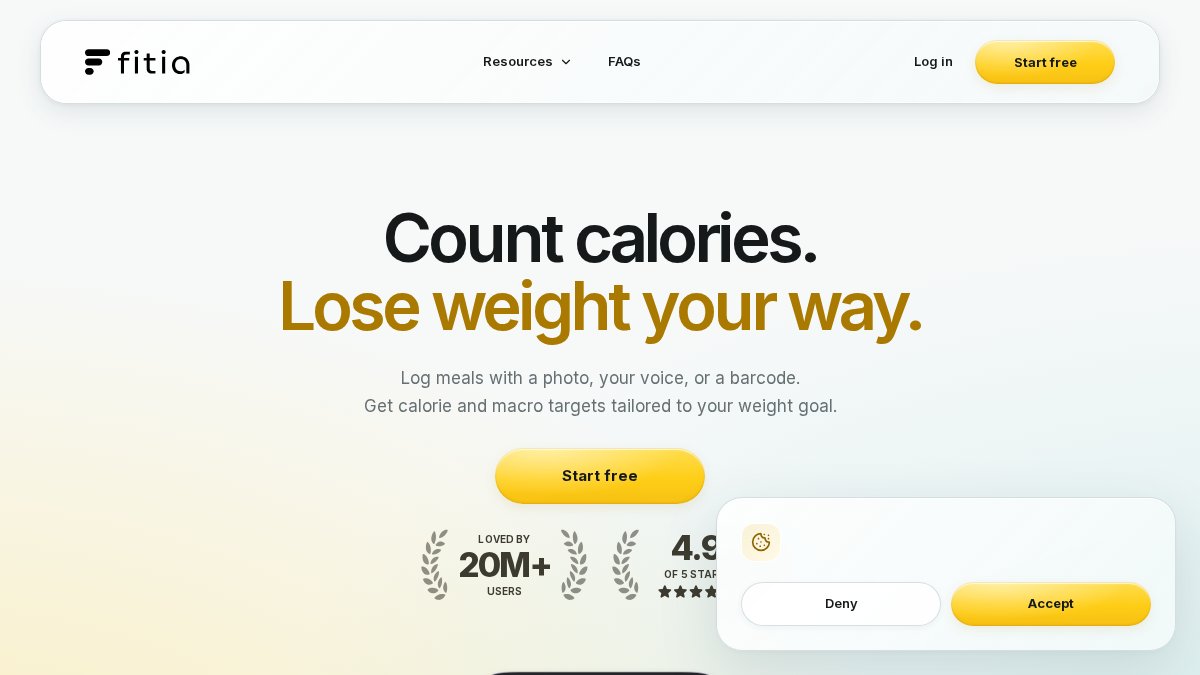
Fitia is the most direct answer to the Mealime gap. It calculates personalized calorie and macronutrient targets, builds meal plans around them, and lets you log meals so the plan becomes a food diary.
How the Target Calculation Works
The practical difference shows up when your goal changes. If you drop from 2,400 to 2,200 calories, a planner-only app leaves you to redo the math across every recipe. A calculator-plus-planner recalculates the targets and rebalances the plan.
From Plan to Food Log
When you first set up Fitia, log three or four meals you already cook regularly before you trust the plan. That gives you a feel for how the app handles portions and swaps, and it surfaces any database entries that do not match what you actually eat.
Key Features
- Calculated calorie and macro targets based on your body stats, activity, and goal rather than a fixed template.
- Personalized meal plans aligned to those targets, so the recipes are chosen to fit the numbers.
- Meal logging that turns the plan into a food diary against the same targets.
Pros and Cons
Pros:
- One app covers target setting, planning, and logging, which removes the double-entry problem that kills most Mealime-plus-tracker workflows.
- Targets recalculate when your goal changes, so the plan stays aligned as you cut, bulk, or maintain.
- The design is built around personalized macro planning, not generic recipes.
Cons:
- Pricing and free-tier availability are not verified in our source material, so confirm before signing up.
- If your priority is batch-prep task management rather than daily logging, it is less of a fit.
- Logging discipline still matters. The app calculates targets, but you have to confirm what you ate for the numbers to mean anything.
Pricing
Best for: People who want calculated nutrition targets alongside meal planning and logging, and who are willing to confirm meals daily to keep the data honest. Skip if: You mainly want pantry organization and shopping-list control, or you refuse to log what you eat.
3. Plan to Eat: Best for Macro Counting with Pantry Organization
Plan to Eat appeals to the planner who already has a recipe collection and wants structure around it. It supports macro counting, builds ingredient-based shopping lists, and includes pantry inventory management, which is a genuinely useful combination for households that cook from what they already own.

Key Features
- Macro counting support alongside meal planning.
- Ingredient-based shopping lists that consolidate what the week's recipes require.
- Pantry inventory management to reduce duplicate buying.
Pros and Cons
Pros:
- Ingredient overlap and pantry tracking are handled well, which cuts grocery waste.
- Macro counting and shopping lists sit in the same workflow.
Cons:
- Current subscription pricing is not verified in our research.
- It leans toward organizing your own recipes rather than generating AI plans for you.
Pricing
Plan to Eat runs on a subscription, but the exact price is not specified in our supplied results. Confirm on the vendor's site.
Best for: Home cooks with an existing recipe library who want macro counting plus pantry control. Skip if: You want the app to generate the plan for you from scratch.
4. Prepear: Best Free Meal Planning Alternative with Grocery Lists
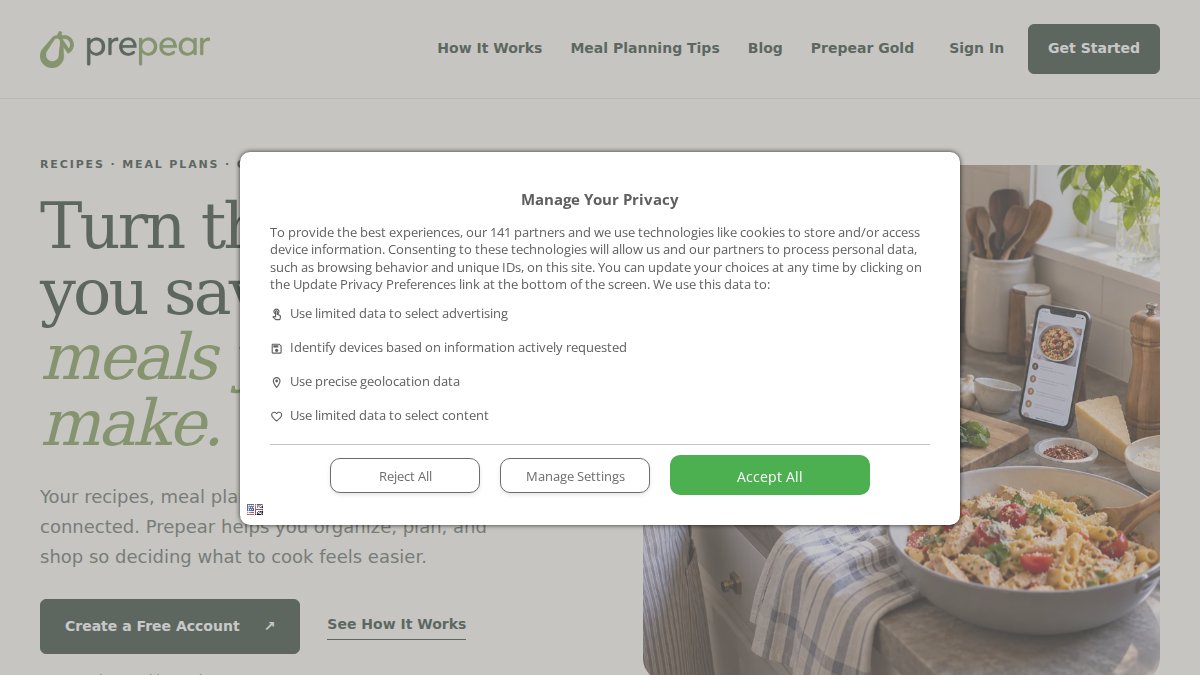
Prepear is the strongest free starting point in this group. It provides meal planning and automatic grocery lists at no cost, which makes it a reasonable landing spot if you are leaving Mealime and are not ready to pay for a macro-focused tool.
Key Features
- Meal-planning functionality for the week ahead.
- Automatic grocery lists generated from the plan.
- A free tier, which is rare in this category.
Pros and Cons
Pros:
- Free access removes the financial risk of trying it.
- Automatic grocery lists save the manual list-building step.
Cons:
- Macro-tracking features are not verified in our research, so do not assume they match a dedicated tracker.
- Free tiers in this category usually mean limits somewhere; check what is gated.
Pricing
Prepear offers a free tier. Additional pricing is not specified in our supplied results.
Best for: Budget-conscious planners who want free meal planning with automatic lists. Skip if: Precise macro targets are non-negotiable for you.
Meal Planning Apps With Macro Tracking: Quick Comparison Table
| App | Macro Targets | Meal Logging | Grocery List | Pantry Tracking | Free Tier |
|---|---|---|---|---|---|
| MealPrepGenius | Built into personalized plans | Progress tracking | Automated | Batch-prep focus | No |
| Fitia | Calculated targets | Yes | Plan-based | Not verified | Not verified |
| Plan to Eat | Macro counting | Limited | Ingredient-based | Yes | Not verified |
| Prepear | Not verified | Not verified | Automatic | Not verified | Yes |
Apps That Track Calories and Macros: What to Look For
Two things often determine whether a macro-tracking app works: how it validates recipe-level nutrition, and whether the meal plan flows into the food log without retyping.
Macro Accuracy Starts at the Recipe, Not the Database
A recipe's macro count is only as good as the ingredient entries behind it, and the same food can carry different numbers depending on brand, preparation, and serving size. Chicken breast raw versus cooked is the classic example: the protein per 100g changes because cooking removes water. If the app does not tell you which state the entry refers to, your totals drift before you have cooked anything.
Three checks help separate a reliable app from a less reliable one:
- Per-serving display. Can you see protein, carbohydrate, fat, and calories per serving before you cook, not just per recipe?
- Editable entries. Can you correct an ingredient to match the brand or preparation you actually use, and does the recipe total update?
- Serving-size adjustment. If you eat 1.5 servings, does the app scale the macros, or do you do the math yourself?
A common source of accuracy error is portion size. A recipe that says "serves 4" assumes you divide it into four equal parts. If you eyeball the split, your logged macros can be off by a meaningful margin even when the recipe itself is correct. Weigh or portion deliberately for the meals that matter most.
Does the Plan Actually Populate the Food Log?
There are three possible workflows:
- Automatic. Planned meals populate the diary, and you confirm or adjust portions. Least effort, least double entry.
- Semi-automatic. You add planned recipes to the diary with one tap, but portions and swaps are manual. Workable, but it depends on your discipline.
- Manual. The plan and the diary are separate; you retype or re-search every ingredient. This is the workflow most people are trying to escape when they leave Mealime.
Before you commit to an app, plan one day and then try to log it. If you find yourself searching for the same ingredients twice, you have your answer. A workflow where the plan and the log share the same data can be easier to sustain during a busy week.
Personalized Targets and Progress Adjustments
A fixed target is a starting point, not a plan. Some apps adjust as your weight trend, activity, or goal changes. Ask two questions: can you change your goal without rebuilding the plan, and does the app show progress against the target over time rather than just today's number? An app that only shows a daily ring tells you nothing about whether the plan is working across a month.
Recipe Importing, Grocery Lists, and Pantry
These still matter, but treat them as the supporting cast. Recipe importing lets you bring in family recipes and saved links and see their nutrition; without it, an app's own catalog gets old by week three. Grocery lists should consolidate shared ingredients so you buy one bunch of parsley, not four. Pantry tracking goes further, subtracting what you already have before you shop.
The filter is simple: pick the app where the plan and the food log share the same data, and where you can verify and edit recipe nutrition. Everything else, grocery lists, pantry, recipe catalog, is a bonus on top of those two.
Making the Switch Without Losing Momentum
Watch out: do not chase macro precision in week one. Get the planning and grocery loop working first. Accuracy improves as you refine your entries and serving sizes, and chasing perfect numbers before the habit exists is how people quit.
Frequently Asked Questions
Does Mealime track macros?
Mealime focuses on meal planning and grocery lists, but it does not offer built-in macro tracking. Users who want to count macros need a separate app or manual calculation.
What is the best Mealime alternative for tracking macros?
The best alternative depends on your priorities. MealPrepGenius provides AI-driven meal plans, automated grocery lists, and progress tracking. Pricing depends on quantity, dates, and delivery; check the MealPrepGenius website for current prices or a quote.
Which meal planning apps track calories and macros?
Several apps combine meal planning with calorie and macro tracking. MealPrepGenius provides personalized meal plans and progress tracking. When evaluating apps that track calories and macros, check whether the food database is verified and whether serving sizes are customizable, since accuracy varies widely.
Can I create meal plans based on my macro targets?
Yes. Apps like MealPrepGenius lets you plan meals around specific macro targets. Start by setting your calorie and protein, carbohydrate, and fat goals, then filter recipes by macro ratio. Use the app's nutrition information to adjust serving sizes. For best results, verify recipe-level nutrition data and log your actual intake to spot discrepancies between planned and consumed macros.
What should I look for in a meal planning app for macro tracking?
Prioritize verified food entries, customizable serving sizes, and recipe-level nutrition validation. Look for apps that generate grocery lists from your meal plan, support dietary preferences, and allow meal editing mid-week. A clear weekly view and progress tracking help you stay on target. Also check pricing structure with the vendor directly.
Meal planning that ignores macros leaves you doing math in a second app, and that second app is usually where the routine dies. MealPrepGenius closes that gap with personalized meal plans, automated grocery lists, batch-prep task management, and progress tracking across 31 pages, all in one workflow. Get started with MealPrepGenius and turn your macro targets into a plan you can actually cook.