 How-to
How to Automate Weekly Meal Planning in 2026
Table of Contents
- Why Automating Weekly Meal Planning Saves More Than Time
- Build Your Automation Foundation: Rotation, Themes, and Pantry Inventory
- AI Meal Planning Tools: What They Automate and What They Don't
- How to Use ChatGPT for Meal Prep (Without Losing Your Mind)
- Meal Planning Automation Templates: Build Once, Reuse Forever
- Integrate Your Family Calendar and Grocery List
- Offline and Budget-First Automation: No App Required
- Frequently Asked Questions
Last Updated: September 30, 2026
Why Automating Weekly Meal Planning Saves More Than Time
Learning how to automate weekly meal planning is the single biggest change you can make to your kitchen routine. It cuts the mental load of deciding what to eat, trims your grocery bill, and helps you hit nutrition goals without willpower. This guide from MealPrepGenius walks you through building a system that runs itself.
Build Your Automation Foundation: Rotation, Themes, and Pantry Inventory
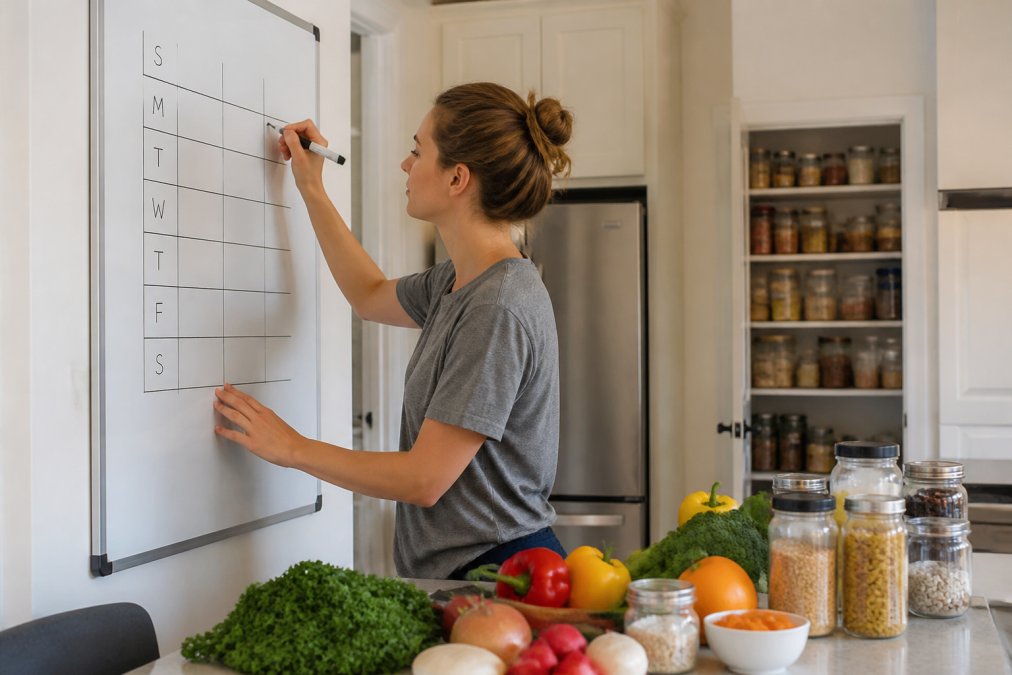
A working system rests on three parts: a meal rotation, themed days, and a live pantry inventory. Get these right and planning takes minutes, not hours.
The Meal Rotation System
A meal rotation is a set list of meals you repeat on a schedule. Instead of inventing new dinners each week, you cycle through 10 to 15 favorites. This kills decision fatigue fast.
- Pick 10-15 core meals you cook well
- Sort them into quick, medium, and longer prep
- Repeat the loop every two or three weeks
- Swap one or two meals each season
Thematic Planning for Faster Decisions
Thematic planning assigns a theme to each day. Taco Tuesday, pasta Thursday, stir-fry Friday. The theme narrows your choices before you even open a recipe.
AI Meal Planning Tools: What They Automate and What They Don't
AI meal planning tools handle the repetitive parts: recipe search, grocery list generation, and macro math. They do not know your schedule, your kids' picky habits, or what's already in your fridge. You still supply that context.
| Task | Tool handles it | You still do |
|---|---|---|
| Recipe ideas | Yes, from your preferences | Approve what fits the week |
| Grocery list | Yes, auto-generated | Check pantry before buying |
| Macro tracking | Yes, per serving | Confirm portion sizes |
| Schedule changes | Partly | Flag busy nights |
| Dietary restrictions | Yes, with setup | Verify labels on new items |
| Pantry accuracy | Only if you log it | Scan or type every item |
The context gap nobody automates
Every tool on the market fails at the same thing: it doesn't know that your Thursday is chaos because of a late meeting, or that your kid just decided they hate mushrooms. That context lives in your head, not the app. The fix isn't a better app, it's a weekly five-minute review where you scan the plan against your real calendar and swap two or three meals.
What to check before you commit
- Export, don't lock in. If you can't export your recipes and lists as plain text or CSV, you're renting your meal plan. Pick tools that let you leave.
- Watch the free-tier ceiling. A free tier that caps you at three recipes is a demo, not a system. Know the limit before you build a rotation inside it.
- Test calendar sync both ways. Add a fake event to your calendar and see if the plan reacts. If it doesn't, the "integration" is a screenshot, not a feature.
- Check the portion logic. Most tools default to a fixed serving count. If yours can't scale a recipe from 2 to 5 people without breaking the grocery list, you'll be doing the math by hand.
How to Use ChatGPT for Meal Prep (Without Losing Your Mind)
Try a prompt like this:
"Plan 5 dinners for two people. No gluten. Under 30 minutes each. Use chicken, rice, and whatever's in season. Give me a grocery list grouped by aisle."
Meal Planning Automation Templates: Build Once, Reuse Forever
Templates turn a one-off plan into a repeatable workflow. Build one master template, then fill it in each week. This is the core of true automation.
A simple weekly template has five parts:
- Theme nights for each day of the week
- A rotation list of 10-15 go-to meals
- A pantry check column for what you already own
- A grocery list grouped by store section
- A prep block for batch cooking on one day
Integrate Your Family Calendar and Grocery List
The system breaks if it ignores your real life. Family calendar integration keeps your meal plan honest about busy nights, sports practice, and late meetings.
- Mark busy nights and plan easy meals
- Batch your shopping into one trip
- Keep a running list so you never double-buy
- Check the pantry before you leave
Offline and Budget-First Automation: No App Required
Most guides treat "automation" as a subscription. That's backwards. The most durable meal-planning systems in real kitchens are analog, free, and immune to outages, price hikes, and app shutdowns. This section covers the two gaps the app-first crowd skips: a low-tech rotation you can run on paper, and a budget-first method that plans around price per serving instead of just nutrition.
The index-card rotation system
The classic offline automation is a box of index cards. Each card holds one meal: name, ingredients, rough cost, and prep time. You build a deck of 15-20 cards, then deal a week at a time.
Here's the setup that actually holds up:
- One card per meal. Write the recipe on the back, the shopping needs on the front. No phone required at the store.
- Color-code by protein or cuisine. Red for beef, green for vegetarian, blue for fish. You can see at a glance whether the week is balanced.
- Add a cost band. Mark each card $ (cheap staples), $$ (mid), or $$$ (splurge). A week should be mostly $ and $$, with one $$$ for variety.
- Keep a "tried and rejected" pile. When a meal flops, move the card out of rotation. The deck improves itself over time.
Budget-first automation: plan around price per serving
Budget-first automation flips the usual order. Instead of picking meals and then shopping, you start from what's cheap this week and build meals around it.
A practical weekly loop:
- Check the store circular or app for loss leaders. These are the deeply discounted items stores use to pull you in, usually one or two proteins and a few produce items.
- Match those to your rotation cards. If chicken thighs are on sale, pull the three cards that use them.
- Fill the rest of the week with $ cards. Rice bowls, bean chili, egg fried rice, oatmeal bakes.
- Plan one "flex" dinner for the night you'll be too tired to cook. Frozen backup counts.
- Write the list from the card fronts only. If it's not on a card, it's not on the list.
Where smart home tech fits (without becoming the system)
Smart home devices are useful as reminders, not as the planner. A smart display in the kitchen can show the week's card lineup. A smart speaker can read the grocery list aloud while you cook, or set a timer for the rice. A smart plug on a slow cooker lets you start dinner from your phone on a chaotic afternoon.
Waste reduction as a built-in feature
An offline rotation makes it easy to plan a "leftover night" once a week, cook once, eat twice. Pair it with a "use-it-up" slot the day before your shop, where you cook whatever's about to spoil. Over a month, most households find this alone cuts a meaningful chunk of their food waste, because nothing gets pushed to the back of the fridge and forgotten.
Frequently Asked Questions
What is the 3-3-3 rule for meal prep?
The 3-3-3 rule means prepping three proteins, three vegetables, and three sauces or grains on one day, then mixing them into different meals throughout the week. It reduces cooking to one session while keeping variety high. For weekly meal planning automation, this method pairs well with a rotation system because the components stay flexible. You can batch cook once and assemble different bowls, wraps, or plates each day without repeating the same meal.
Can AI meal planning tools handle multiple dietary restrictions in one household?
Yes, most AI meal planning tools let you set multiple dietary profiles within one account. You can flag gluten-free for one family member, vegetarian for another, and specific macro targets for yourself. The tool then generates recipes and grocery lists that satisfy all constraints. The key is entering restrictions accurately during setup. After that, the system filters recipes automatically, so you are not manually checking every ingredient. MealPrepGenius, for example, supports this level of personalization.
How do I automate my grocery list with weekly meal planning?
Once your meal plan is set, the grocery list should generate automatically from the recipes you selected. Most digital tools do this by pulling ingredient data from each recipe and combining duplicates. If you are using a manual system, build a master ingredient list in a spreadsheet and use a formula to pull only the items from this week's recipes. Check your pantry inventory first and remove what you already have. This step alone cuts grocery shopping time significantly.
How long does it take to set up a meal planning automation system?
Initial setup takes about one to two hours. That includes choosing your rotation, building a template, and entering dietary preferences into your chosen tool. After the first week, maintenance drops to 15-20 minutes per week for reviewing the plan and adjusting for schedule changes. The time investment pays off quickly because you stop making daily food decisions from scratch. Most people report the system runs itself by week three.
Meal planning falls apart when life gets busy. The fix is a system that adapts with you, not a plan you have to force. MealPrepGenius builds personalized meal plans, generates your grocery list, and manages batch-prep tasks in one place. With progress tracking across 31 pages, you can see your nutrition goals move week by week. Get started with MealPrepGenius and let your kitchen run itself.