 How-to
How Do You Track Macros for Beginners?
Last Updated: October 25, 2026
Quick Summary
To track macros for beginners, set a calorie target first, then a protein target, then split the remaining calories between carbs and fat. Log each meal in an app as you go, and adjust your targets only when progress stalls for two to three weeks.
- Protein supplies 4 calories per gram, carbs 4 per gram, and fat 9 per gram.
- Estimate maintenance calories by multiplying bodyweight in kilograms by roughly 30.
- Set protein at 1.6 to 2.2 grams per kilogram of bodyweight for people training.
- A palm of protein is roughly 25 to 30 grams when tracking without a scale.
- If you end the day within 10 percent of your targets, you are doing it right.
Table of Contents
- What You Need Before You Start Tracking Macros
- How to Set Your Daily Macro Targets
- Choosing a Macro Tracking App That Fits Your Routine
- Macro Tracking Food Examples for a Normal Day
- How to Track Macros Without a Food Scale
- Building a Macro Meal Plan for Beginners
- Adjusting Your Targets When Progress Stalls
- Start Tracking Macros with MealPrepGenius
- Frequently Asked Questions
What You Need Before You Start Tracking Macros
Tracking macros for beginners starts with three numbers, not an app. You need a calorie target, a protein target, and a split for carbs and fat. Everything else is logistics.
Here is the short version. Macronutrients are the three energy-giving parts of food: protein, carbohydrates, and fat. (WHO EMRO) Each one supplies calories, and each one does a different job in your body.
- Protein rebuilds muscle and keeps you full. It supplies 4 calories per gram.
- Carbohydrates are your main fuel source. They also supply 4 calories per gram.
- Fat supports hormones and vitamin absorption. It supplies 9 calories per gram.
Those calorie-per-gram figures are standard nutrition science, published by bodies such as the FDA nutrition labeling guidance. Learn them once and label reading gets much easier.
The three numbers behind every macro target
Every macro plan reduces to this:
- Calorie target - your daily energy ceiling
- Protein grams - usually set first, because protein protects muscle
- Carb and fat grams - whatever calories remain, split to taste
That is the whole system. No magic ratio, no secret formula.
How to Set Your Daily Macro Targets
Set your calorie target first, then protein, then fill the rest with carbs and fat.
Step 2: Set protein. A common starting range is 1.6 to 2.2 grams per kilogram of bodyweight for people training. A 70 kg person lands between 112 and 154 grams.
Step 3: Fill the rest. Subtract protein calories from your total.
Step 4: Adjust for your goal. For weight loss, drop the calorie target slightly.
Watch out: setting targets too aggressively is the fastest way to quit.
If you would rather skip the math, you can set your goals in MealPrep AI and let the app calculate personalized targets for you.
Here is the four-step order the article recommends for setting targets, with the 70 kg example it uses.
| Step | What to do | 70 kg example |
|---|---|---|
| 1 | Multiply bodyweight in kg by roughly 30 | About 2,100 calories |
| 2 | Set protein at 1.6 to 2.2 g per kg | 112 to 154 g protein |
| 3 | Split remaining calories between carbs and fat | 40/30 split of remaining calories |
| 4 | Adjust calories for goal, keep protein steady | Drop for loss, raise for gain |
Choosing a Macro Tracking App That Fits Your Routine
The best macro tracking app is the one you will actually open before every meal. Features matter less than friction. If logging takes more than 30 seconds, most beginners stop within two weeks.
Here is what to check before you commit:
- Food database size - can it find generic foods and chain restaurant items?
- Barcode scanning - the single biggest time saver for packaged food
- Serving size options - grams, cups, and "1 medium" all need to work
What most guides miss is the repeat-meal feature. Beginners who eat the same breakfast and lunch most days cut their logging time in half. Pick an app that makes saved meals easy, or you will pay for it in daily effort.
MealPrepGenius generates meal plans that already fit your macro targets, so most of your logging is done before you cook. If you are weighing whether a free tool is enough, our breakdown of whether a free AI diet planner is available covers what you give up.
Macro Tracking Food Examples for a Normal Day
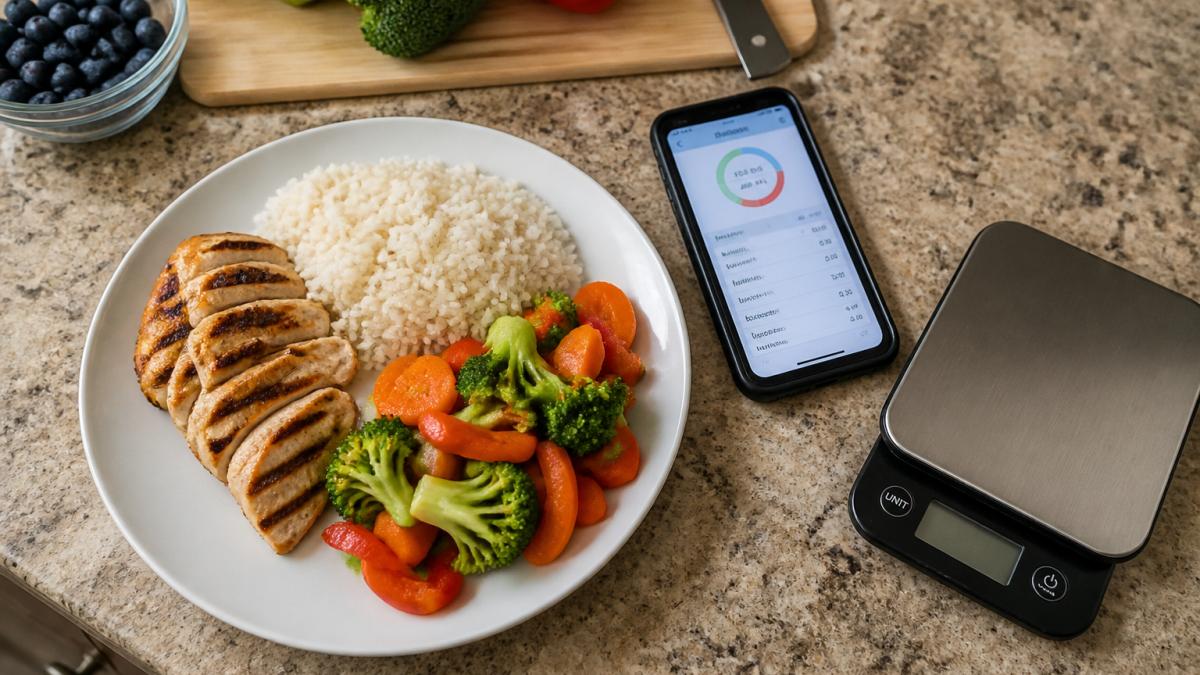
Most guides give you a sample menu. This section walks through the full day the way a beginner actually experiences it: setting targets, logging each meal, seeing the numbers land, and adjusting when they do not.
Step 1: Set the targets
Take a 70 kg person targeting roughly 2,100 calories and 140 g protein. Using the method from earlier in this guide, protein is set first at about 2 g per kg. The remaining calories are split between carbs and fat, with carbs taking the larger share for energy.
- Calories: about 2,100
- Protein: about 140 g
- Carbs: about 210 g
These are starting estimates, not lab measurements. The point is to have a number to log against.
Step 2: Log breakfast
Breakfast is 3 eggs, 2 slices of whole grain toast, and 1 banana. In the app, you search each item, pick the serving size, and confirm. The log reads roughly 30 g protein, 45 g carbs, and 20 g fat.
Running total: about 30 g protein, 45 g carbs, 20 g fat.
Step 3: Log lunch
Lunch is 150 g grilled chicken, 200 g cooked rice, and mixed vegetables. You weigh the chicken and rice once, then save the meal as a favorite so tomorrow takes one tap. The log reads roughly 45 g protein, 55 g carbs, and 8 g fat.
Running total: about 75 g protein, 100 g carbs, 28 g fat.
Step 4: Log a snack
Greek yogurt with berries adds roughly 15 g protein and 20 g carbs.
Running total: about 90 g protein, 120 g carbs, 30 g fat.
Step 5: Log dinner and close the day
Dinner is 150 g salmon, potatoes, and a salad with olive oil. Salmon adds roughly 40 g protein and 20 g fat. Potatoes add about 40 g carbs. The olive oil, measured with a tablespoon, adds about 14 g fat.
Final total: about 130 g protein, 160 g carbs, 64 g fat. That lands near 1,900 calories, slightly under target with protein about 10 g short.
Step 6: Adjust before bed, not tomorrow
This is the moment most beginners quit or ignore. Instead, add a small protein snack: a cup of cottage cheese or a scoop of protein powder in water. That closes the protein gap and brings the day within range.
The lesson is not that the day was perfect. It is that the log told you what to do next. A realistic day of macro tracking looks like this: a saved breakfast, a weighed lunch, a flexible dinner, and one snack logged in under a minute.
When you are ready to shop for a week like this, generate a grocery list from your plan so the food is already in the kitchen.
How to Track Macros Without a Food Scale
You can track macros without a food scale by using hand portions, comparison objects, and a few smart shortcuts. Accuracy drops, but consistency holds, and consistency is what moves results for beginners. The goal is not a perfect gram count.
Start with these rough hand guides:
- Palm - one serving of protein, roughly 25 to 30 g
- Fist - one serving of vegetables or rice, roughly 1 cup
- Cupped hand - one serving of carbs like oats, roughly 30 g dry
Measuring cups and spoons cover the middle ground. They are more accurate than eyeballing and much faster than weighing every item.
Where scale-free tracking actually breaks down
Oil, butter, and nut butter are where eyeballing fails hardest. A "small drizzle" of olive oil can add well over 100 calories. Measure fats with a spoon even when you skip the scale everywhere else.
Mixed dishes are the second failure point. A stir-fry, casserole, or restaurant bowl hides its oil and portion size. When you cannot separate ingredients, log the closest generic entry and estimate the portion by comparing it to your fist or palm.
A practical scale-free routine
- Weigh once, then memorize. Weigh your usual chicken portion one time. After that, you can eyeball it with confidence.
- Log before you eat, not after. Memory fades fast, and portions shrink in hindsight.
- Round to easy numbers. 28 g of protein becomes 30 g. Small rounding errors average out over a week.
- Anchor one meal with a scale. If you own a scale, use it for dinner, where portions are largest and most variable. Hand portions are fine for breakfast and lunch.
Scale-free tracking is a skill, not a compromise. The beginners who succeed are the ones who accept a 10 to 20 percent margin of error and keep logging anyway.
Building a Macro Meal Plan for Beginners
A macro meal plan for beginners should repeat meals, not reinvent them daily. Pick two breakfasts, two lunches, and three dinners. Rotate them. Your logging gets faster and your grocery list gets shorter.
Build the week in this order:
- Anchor protein first. Choose 2 to 3 protein sources you actually enjoy cooking.
- Add a carb base. Rice, potatoes, oats, or pasta, whichever fits your budget.
- Fill with vegetables. These add volume and fiber with few calories.
Batch-prep fits this structure well. Cook protein and carbs in bulk on one day, then assemble meals through the week. You can generate a plan that fits your macros and adjust it when your week changes.
Adjusting Your Targets When Progress Stalls
Adjust your targets when the scale or tape measure has not moved for two to three weeks, not when it stalls for three days. Water weight moves daily. Trends move slowly.
Before changing anything, check two things:
- Adherence - did you actually hit your targets most days, or did the plan drift?
- Logging accuracy - are portions creeping up without you noticing?
If adherence was poor, fix the plan, not the numbers. Make meals simpler. If adherence was solid and progress truly stalled, adjust one variable at a time:
- Weight loss stalled: cut calories slightly, keep protein the same
- Muscle gain stalled: add calories slightly, keep protein the same
- Energy or mood dropped: raise fat or carbs, review sleep first
Change one thing, hold it for two weeks, then reassess. Tracking your weekly averages makes this far easier than judging by a single weigh-in. Our progress tracking view shows those trends so you can decide with data instead of guesswork.
Start Tracking Macros with MealPrepGenius
The hardest part of macro tracking is not the math. It is doing it again tomorrow, and the day after, when your schedule falls apart.
We built MealPrepGenius for exactly that week. Personalized meal plans set your meals before you are hungry.
You do not need a perfect first week. You need a system that survives a messy one.
Get started with MealPrepGenius and turn your macro targets into meals you can actually cook.
Frequently Asked Questions
What is the easiest way to track macros for beginners?
Start with a macro tracking app that has a large food database and barcode scanning, then log meals as you eat them rather than saving everything for the evening. Build repeat meals you eat often so you can copy them in one tap. Weigh food for the first two weeks to learn portion sizes, then switch to measuring cups and visual estimates once you know what a serving looks like. Consistency matters more than perfection, so log even on messy days.
Do beginners need to weigh every food to track macros?
No. Weighing every item is accurate but hard to sustain. Use a food scale for calorie-dense foods like oils, nuts, cheese, and meats where small differences add up fast. For vegetables, fruit, and other low-calorie items, measuring cups or hand estimates work well. Many people weigh food for the first few weeks to calibrate their eye, then rely on portion estimates and repeat meals. The goal is a tracking habit you can keep, not lab-grade precision.
How long does it take to get used to tracking macros?
Most beginners need about two to three weeks of daily logging before it feels routine. The first week is the slowest because you are learning the app and building a food database. By week two, repeat meals and saved recipes cut logging time to a few minutes per meal. If you plan meals ahead and pre-log them, tracking becomes a quick daily check rather than a chore. Expect some friction early, then a steady drop in effort.
Can you lose weight by just counting macros?
Counting macros supports weight loss because it makes your calorie intake visible and keeps protein, carbs, and fat in balance. Weight loss still depends on eating fewer calories than you burn, so your macro targets need to reflect a calorie deficit. Tracking also helps you notice patterns, like low protein intake or weekend overeating, that stall progress. Pair macro tracking with regular activity and adjust targets based on results every few weeks.