 Listicle
Is There Meal Planning Software Built for Nutritionists?
Last Updated: November 19, 2026
Quick Summary
Meal planning software for nutritionists is a category defined by clinical accountability, not convenience. Professional tools must optimize for accuracy, auditability, and the ability to defend a plan in a client conversation, so evaluate food database sourcing, nutrient breakdowns, portion guidance, dietary filters, client output, and workflow fit before price.
- Score platforms on six criteria: food database, nutrient accuracy, portions, dietary filters, client output, and workflow fit.
- Price ranks last because manual recalculation costs more in billable hours than a subscription.
- Request a written quote listing every add-on, since tiered pricing is gated by client count.
- Treat free access as a trial: test one real client case end to end, then decide.
- Treat every AI-generated plan as a draft requiring your documented sign-off before it reaches a client.
Table of Contents
- What Nutritionists Should Demand From Meal Planning Software
- Meal Planning Software for Nutritionists: Side-by-Side Comparison
- MealPrepGenius: AI Meal Planning Tools for Nutritionists Who Need Speed
- Where Each Platform Wins: Use-Case Recommendations
- Client Meal Plan Templates: What to Look For and What to Avoid
- Free Nutrition Software for Dietitians: What You Actually Get
- Data Quality, Privacy, and the Gaps Most Comparisons Skip
- Start Your MealPrepGenius Trial With One Client Plan
- Frequently Asked Questions
What Nutritionists Should Demand From Meal Planning Software
Most nutrition professionals do not need another recipe app. They need meal planning software that respects clinical judgment, survives a busy Tuesday, and produces plans clients actually follow.
Here is the uncomfortable truth: the market is crowded, the feature lists look identical, and almost none of the marketing pages tell you how the food database was built or what happens to client health data.
The Evaluation Criteria That Actually Matter
We score every platform on six things: food database depth and sourcing, nutritional breakdown accuracy, portion guidance, dietary restriction handling, client-facing output, and workflow fit. Price matters, but it ranks last. A cheap tool that forces manual recalculation costs more in billable hours than a subscription ever will.
Meal planning software for nutritionists is a category defined by clinical accountability. Consumer apps optimize for convenience. Professional tools must optimize for accuracy, auditability, and the ability to defend a plan in a client conversation.
| Criterion | What to Check | Why It Matters |
|---|---|---|
| Food database | Regional coverage, branded foods, data source | Wrong nutrient data undermines every plan |
| Nutritional breakdown | Macro and micronutrient detail per serving | Clients ask for numbers you can stand behind |
| Portion guidance | Household measures plus gram weights | Adherence drops when portions feel abstract |
| Dietary filters | Allergies, diet type, cultural patterns | One missed allergen is a serious liability |
| Client output | Templates, branding, app access | The plan only works if clients can read it |
| Workflow fit | Scheduling, messaging, practice management | Tool-switching eats clinical time |
Academy of Nutrition and Dietetics evidence analysis library publishes nutrition care process guidance that any professional platform should support.
Meal Planning Software for Nutritionists: Side-by-Side Comparison
The table below summarizes what each platform is genuinely built for, plus the purchase-decision details most comparison pages omit: how pricing is structured, how the food database is sourced, and where the tool fits in a clinical workflow.
| Platform | Core Strength | Pricing Model (verify current rates) | Food Database & Sourcing | Workflow Fit | Best Fit |
|---|---|---|---|---|---|
| MealPrepGenius | AI plan generation plus grocery and batch-prep automation | Subscription; tiers typically gated by client count and reporting depth, confirm current rates | Vendor-built recipe and food data; ask for source list and regional coverage before clinical use | Planning-first; limited EHR interoperability | Practitioners who want speed and client-ready output |
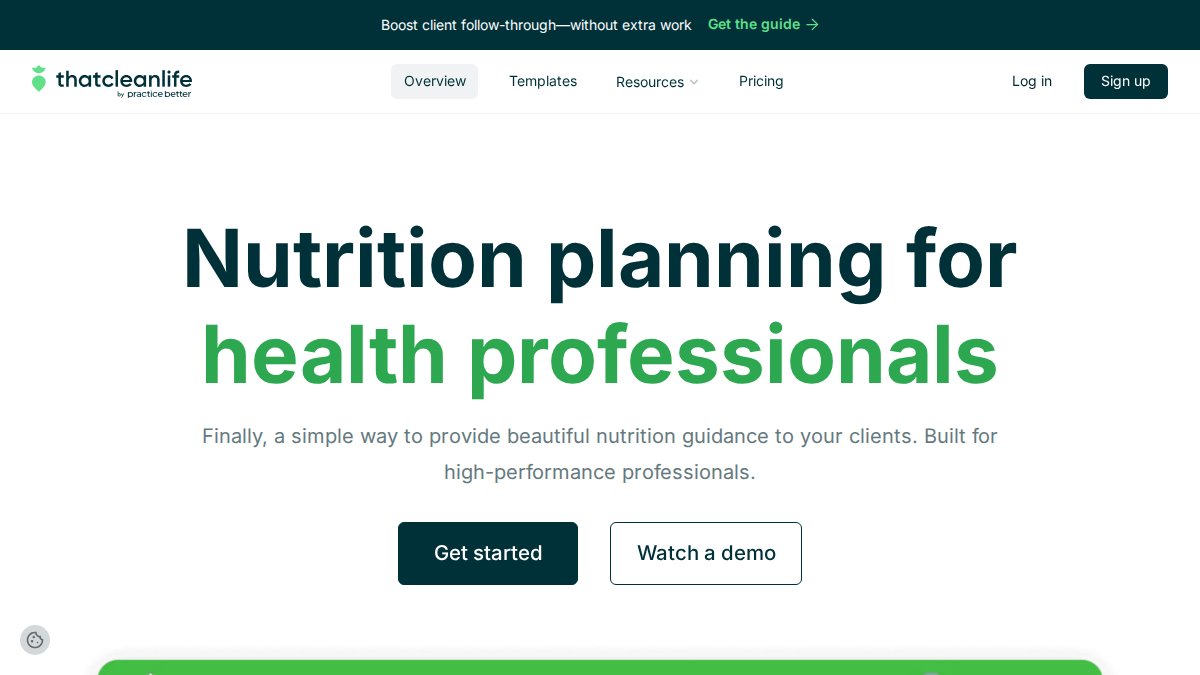
| That Clean Life | Flexible planning, filters, templates, shareable recipes | Subscription; check whether client-facing sharing is included or an add-on | Recipe-library-centric; nutrient data drawn from a branded food set, request the source | Planning and client materials; not a practice-management system | Health professionals building shareable materials |
| Nutrium | Food-database planning with nutrient breakdowns | Subscription; confirm client limits and whether app access is bundled | Positioned around a food database with per-item nutrient breakdowns, ask about regional foods | Clinical planning plus client app; check export and integration options | Clinical work needing portion-level detail |
| NutriAdmin | Macro plan generator and branded plans | Subscription with a 14-day trial; confirm billing terms and client caps | Macro-focused generator; database depth varies by plan, verify before relying on micronutrient output | Fast weekly macro plans; lighter on intake analysis | Coaches producing weekly macro plans fast |
| Nutritionist Pro | Diet analysis and intake comparison | Subscription; confirm whether analysis modules are tiered | Built for diet analysis and intake comparison, ask for data-source documentation | Strong analysis; not a client-facing app platform | Dietitians doing detailed analysis |
| EatLove Pro | AI-assisted personalized recommendations | Subscription; confirm client limits and add-on costs | AI-assisted recommendations; ask how allergies and complex needs are safeguarded | Scaling personalized recommendations; human review still required | Scaling personalized recommendations |
| Healthie | Practice platform named in nutrition comparisons | Subscription; typically priced by provider and features, confirm add-ons | Planning is one module inside a practice platform; database depth is secondary | Practice management, scheduling, messaging, and EHR-style records | Practices wanting software beyond planning |
| Practice Better | Practice management for nutrition professionals | Subscription; confirm tiers by practitioner count and client volume | Planning sits alongside practice tools; verify database sourcing separately | Multi-service practice management and client communication | Multi-service practices |
What most comparison pages miss is that these tools are not direct substitutes. You can also look at sample plans to judge the output quality of each platform before comparing them.
Watch out: "See site" pricing usually means tiers are gated by client count or feature modules, so request a written quote that lists every add-on before you commit.
MealPrepGenius: AI Meal Planning Tools for Nutritionists Who Need Speed
MealPrepGenius generates personalized meal plans, automated grocery lists, and batch-prep task lists, and tracks progress across 31 pages.

The platform includes AI-driven recipe search and coaching. You can generate a plan yourself to test the speed claim.
Where Each Platform Wins: Use-Case Recommendations
Choosing comes down to two questions: does the tool match your clinical depth, and does it match your practice size? Answer those and the shortlist collapses fast.
Clinical Analysis vs. Client-Facing Planning
If your work centers on diet analysis, nutrient goal setting, and intake comparison, Nutritionist Pro and Nutrium are the natural starting points. Both build plans from a food database and show nutritional breakdowns per item. That matters when a client asks why a plan contains a specific serving size.
Solo Practitioners vs. Multi-Coach Practices
You can review the reporting output for clinical use cases before deciding.
Client Meal Plan Templates: What to Look For and What to Avoid
A good client meal plan template answers four questions on one page: what to eat, how much, when, and what to swap. Templates that bury portion guidance in an appendix get ignored by Wednesday.
Checklist for evaluating any template library:
- Serving sizes in both household measures and grams
- Allergen and dietary restriction flags visible per recipe
- Meal type structure that matches the client's actual schedule
- Substitution options for each slot
Watch out: templates that look beautiful in a PDF but have no editable portion fields force you back into manual recalculation, which defeats the purpose entirely.
Free Nutrition Software for Dietitians: What You Actually Get
Free tiers in this category are real but narrow.
Our recommendation is to treat free access as a trial, not a business model. Test one real client case end to end, then decide.
Data Quality, Privacy, and the Gaps Most Comparisons Skip
Where does the nutrient data come from? Is it regional or US-centric? How is client health information stored, and who can access it? This section turns those questions into a checklist you can send to any vendor before a demo.
Food Database Accuracy, Coverage, and Sourcing
A database built for one market will misstate portions and local ingredients elsewhere. Before you rely on any platform for clinical output, ask:
- What are the primary nutrient-data sources (national food composition tables, branded-food datasets, vendor-entered recipes), and are they cited per food item?
- How are branded and restaurant foods verified, and how often are they refreshed?
- Does the database cover regional and culturally specific foods you actually recommend, or will you be entering them manually?
- Are household measures and gram weights both stored, or is one derived from the other?
A common pattern is that planning-first tools prioritize recipe breadth while clinical tools prioritize per-item nutrient detail. Neither is wrong, but the mismatch shows up when a client asks why a serving size was chosen.
Privacy, Security, and Health-Data Compliance Checklist
Client records, messaging, and app logs are sensitive. Confirm in writing:
- Encryption in transit and at rest, and where data is hosted.
- Role-based access controls and audit logs for who viewed or edited a client record.
- Data retention and deletion policies, including what happens when a client leaves your practice.
- Whether the vendor signs a business associate agreement or equivalent data-processing agreement where your jurisdiction requires it.
Clinical Workflow Fit and Interoperability
Planning features are only half the decision. Ask how the tool fits your actual workflow:
- Can you export plans and nutrient reports in a format your records system accepts, and is there an API or EHR integration?
- Does the platform support scheduling, messaging, and documentation, or will you run a second system alongside it?
- For solo practitioners, setup speed and plan generation usually dominate; for clinics, shared client records, role permissions, and reporting across providers matter more.
- How are AI-generated plans reviewed and signed off before they reach a client, and how are allergies and complex needs safeguarded?
Accessibility, Language, and Culturally Relevant Planning
Adherence depends on whether clients can read and use the plan. Check language options for client-facing materials, accessibility of the client app, and whether the recipe library reflects the cultural foods your clients actually eat.
Human review of AI-generated plans is not optional in professional practice. Treat every generated plan as a draft requiring your sign-off, and keep a documented review step in your workflow.
Start Your MealPrepGenius Trial With One Client Plan
The fastest way to judge any platform is to run one real case through it.
MealPrepGenius offers personalized meal plans, automated grocery list generation, batch-prep task management, and progress tracking across 31 pages, with AI-driven recipe search and coaching. When you are ready to sign up, check the subscription page for pricing and plan details.
The real test is not which platform has the longest feature list. It is which one gives you back clinical hours while keeping every plan defensible.
Frequently Asked Questions
What is the best meal planning software for dietitians?
There is no single best option because the right fit depends on your workflow. MealPrepGenius offers AI-driven recipe search, automated grocery lists, and batch-prep task management. Compare the features, pricing, and trial terms of any platform directly with its vendor before committing.
Can AI meal planning tools for nutritionists automate plan creation safely?
They can automate the drafting, not the judgment. The safe workflow is to let the tool generate a draft, then review every plan against the client's allergies, dietary restrictions, and nutrition targets before publishing. Automated calculations save time on math and formatting; the dietitian still owns the clinical decisions and the final approval.
Is there free nutrition software for dietitians that is actually usable?
Truly free, full-featured nutrition software is rare. Most professional platforms run on paid subscriptions, and the closest thing to free is usually a trial period. Trials let you test a platform before paying. Be cautious with permanently free tools: they often limit client numbers, hide nutritional breakdowns behind upgrades, or lack the privacy controls health data requires. Budget for a paid plan once you have more than a handful of clients.
How does meal planning software improve client compliance?
Compliance improves when the plan is easy to follow and easy to adjust. Software helps by giving clients a clear weekly meal plan with portion guidance and serving sizes, a grocery list that removes shopping decisions, and a client app or messaging channel for questions between sessions. Progress tracking and meal logging let you spot where a client drifted and revise the plan mid-week instead of waiting for the next appointment. Templates and recipe customization also keep plans varied enough that clients do not abandon them out of boredom.
What features should I look for in nutrition software?
Start with the food and recipe databases: check regional coverage, nutrient-data sources, and how portion guidance is calculated, because inaccurate data undermines every plan you publish. Then confirm the workflow features you use daily: recipe filters for diet type, allergies, and dietary preferences; client meal plan templates; automated calculations for macronutrients and nutrition targets; and meal plan publishing to a client app. Finally, ask about privacy and health-data compliance, integration with your scheduling and practice management tools, and whether pricing scales per client or per coach.