 How-to
7 Ways to Reduce Decision Fatigue Cooking Dinner
Last Updated: October 31, 2026
Quick Summary
To reduce decision fatigue cooking dinner, plan one week of seven dinners you already know how to cook and rotate a small set of core meals instead of choosing nightly. Batch cook two proteins and one grain so weeknights become assembly, and keep five no-decision fallback meals ready.
- Choose one fixed weekly planning slot, such as Sunday evening, and put it on the calendar.
- A solo cook can plan three dinners cooked twice to cover six nights with three sessions.
- Batch cook two proteins and one grain in one session of an hour or two.
- Post five no-decision meals on the fridge to pick from when the plan fails.
- Swap a failed night with a later slot instead of abandoning the whole week.
Table of Contents
- Why Deciding What to Cook Makes You So Tired
- Meal Planning for Beginners: Start With One Week
- Reduce the Number of Meal Choices You Make
- Simple Meal Prep Strategies That Cut Weeknight Decisions
- Automated Meal Planning Benefits for Busy Households
- Build a Fallback Plan for When Dinner Goes Sideways
- Set Up Your First Week With MealPrepGenius
- Frequently Asked Questions
Why Deciding What to Cook Makes You So Tired
Busy parents and professionals often describe this problem. The problem is not that cooking is hard.
The American Psychological Association's research on decision fatigue explains that willpower and decision-making capacity are limited resources.
Here is what that looks like in practice:
- You stare into the fridge for ten minutes with no plan.
- You ask your family what they want and get five different answers.
- You give up and order takeout for the third time this week.
The kitchen is full of food. The problem is the choosing, not the cooking.
Watch out: The most common mistake is treating dinner as a fresh creative challenge every night.
Meal Planning for Beginners: Start With One Week
Meal planning for beginners works best when you start small. Pick seven meals you already know how to cook, write them down, and that is your first weekly meal plan.
But a one-size-fits-all plan fails as soon as your household looks different from the template. A solo cook, a family of five, and a shift worker all need different planning rhythms.
Pick a Planning Day and Time
Choose one fixed slot each week for planning. Sunday evening works for many households. A quiet Thursday morning works just as well. Put it on the calendar like any other appointment. During that slot:
- Check what is already in the fridge and pantry.
- Pick your seven dinners from a short list of core foods.
- Build one grocery list for the whole week.
The planning slot itself becomes a simple cue. After two or three weeks, your brain starts switching into planning mode automatically.
Adapt the Plan to Your Household Size and Schedule
The same seven-dinner framework flexes to fit different realities. Pick the pattern closest to yours and run it for one week before judging it.
Solo cook: Plan three dinners and cook each twice (one fresh, one leftover). That gives you six nights covered with only three cooking sessions. Keep the seventh night for a fallback meal or eating out. Your shopping list is short, and you waste less because you buy for known portions.
Couple or small household: Plan four dinners, each sized for two meals. Alternate cooking nights so one person is not making every decision. The person who is not cooking handles the grocery list from the plan, which spreads the mental load.
Family with kids: Plan five dinners and leave two nights flexible for leftovers or a build-your-own night (tacos, grain bowls, pasta bar). Let each family member pick one dinner per week to build buy-in. Keep the rotation boring on purpose: repeat meals your household already likes, and save new recipes for weekends when you have more energy.
Shift worker or irregular schedule: Plan by your workdays, not by the calendar week.
Changing schedules week to week: Use a two-tier plan. Tier one is your core rotation of ten reliable dinners. Tier two is a short list of meals that can move to any night without spoiling.
Reduce the Number of Meal Choices You Make
Fewer choices means less stress. That sounds obvious, but most households do the opposite.
Try this instead: pick a small set of reliable core foods. Maybe ten dinners total.
A meal rotation removes the nightly question entirely. Monday is grain bowls, Tuesday is pasta, Wednesday is stir-fry.
A common mistake is building a rotation so ambitious it collapses. Keep it boring on purpose.
- Repeat meals your household already likes.
- Save new recipes for weekends when you have more energy.
- Let each family member pick one dinner per week.
That last point matters.
Simple Meal Prep Strategies That Cut Weeknight Decisions
Simple meal prep strategies move the work earlier in the week so weeknights run on autopilot. Most of the benefit comes from advance preparation, not from cooking full meals in advance.
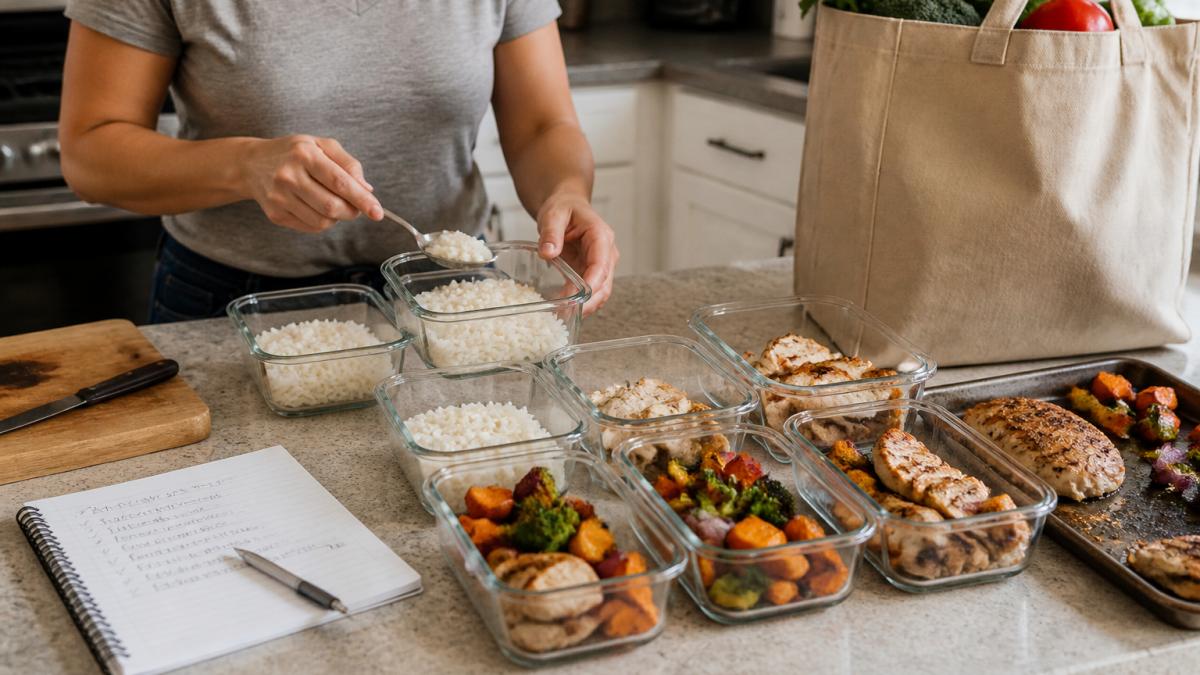
Consider what the USDA's guidance on safe food storage says about cooling and storing cooked food properly. Prepped ingredients are only useful if they keep well.
The highest-value prep tasks:
- Wash and chop vegetables right after shopping.
- Cook a large pot of rice or quinoa.
- Mix one dressing or sauce that works with several meals.
Batch Cook Proteins and Grains on One Day
Batch cooking is the backbone of easy weeknight dinners.
Cook two proteins and one grain. Chicken and ground turkey, or lentils for a vegetarian household. Rice, quinoa, or pasta.
Then weeknight dinner becomes assembly, not cooking. Grain bowls, salads, wraps, and quick stir-fries all start from prepped components.
For a structured approach, you can plan your batch prep tasks around what you actually bought that week.
Watch out: Do not cook more than you can eat in four days unless you freeze portions. Food waste quietly cancels out the time you saved.
Automated Meal Planning Benefits for Busy Households
Automated meal planning benefits show up fastest in households with packed schedules and dietary needs.
A meal planning app builds the weekly plan, the grocery list, and the prep tasks together. You can generate a plan to see how it works for your household.
That matters most when a household has mixed needs. One gluten-free kid, one vegetarian spouse, one person tracking macros. Manual planning gets complicated fast.
The FDA's consumer resources on food allergies make clear why accuracy matters here. A plan that ignores an allergy is worse than no plan.
What automated planning actually removes:
- The nightly "what's for dinner" question.
- The mid-shop scramble for missing ingredients.
- The mental load of tracking who eats what.
Build a Fallback Plan for When Dinner Goes Sideways
Plans change. A late meeting, a sick kid, a missing ingredient. A fallback plan keeps one bad evening from turning into takeout and guilt. Most advice stops at 'keep a few quick meals on hand,' but a real fallback system has three layers: a short list of no-decision meals, a set of substitution rules, and a swap protocol so a broken plan does not break the week.
Layer 1: Keep Five No-Decision Meals Ready
These are meals you can make without thinking, using ingredients you almost always have. Keep the list short and truly low-effort:
- Eggs on toast with whatever vegetables are on hand.
- Quesadillas with cheese and canned beans.
- Pasta with jarred sauce and frozen vegetables.
Post the list on the fridge. When the plan fails, you pick from five options instead of reopening the whole dinner question.
Layer 2: Use Substitution Rules Instead of New Decisions
A missing ingredient should not trigger a new meal decision. Set simple swap rules in advance:
- Protein swap: If the planned protein is missing, use eggs, canned beans, or frozen shrimp. These cook fast and work in most formats.
- Vegetable swap: Use frozen vegetables for fresh in cooked dishes; use whatever is wilting for a stir-fry or soup.
- Starch swap: Rice, pasta, and potatoes are interchangeable in bowls and skillets. Cook what you have.
- Format swap: If the ingredients are there but the recipe feels like too much work, change the format, not the menu. A stir-fry becomes a grain bowl; a casserole becomes a skillet.
Write these rules once and keep them with your fallback list. The point is to make the next step obvious, not to find the perfect substitute.
Layer 3: Swap Nights, Don't Abandon the Week
If tonight's plan falls apart, swap it with another night rather than abandoning the week. Move the missed meal to a later slot and pull a simpler meal forward. You can swap a meal in seconds when plans shift mid-week. And when the fridge is half empty, turn what you already have into dinner instead of shopping again.
Review the Fallback Weekly
At the end of each week, note which fallback you used and why. If the same meal fails twice, the problem is the plan, not your discipline. Adjust the rotation so the fallback becomes the plan, and the system gets stronger each week.
A real fallback system has three layers that keep one bad evening from breaking the week.
| Layer | What it is | How it works |
|---|---|---|
| Layer 1 | Five no-decision meals | Pick from five low-effort meals posted on the fridge |
| Layer 2 | Substitution rules | Swap protein, vegetable, starch, or format instead of deciding |
| Layer 3 | Swap nights | Move the missed meal later and pull a simpler meal forward |
| Weekly review | Note which fallback you used and why | If the same meal fails twice, adjust the rotation |
Set Up Your First Week With MealPrepGenius
Start with one week, one planning slot, and seven dinners you already trust. That is enough to feel the difference.
Here is a simple first-week checklist:
- Pick your weekly planning day and time
- List ten core meals your household likes
- Choose two proteins and one grain to batch cook
- Set up one fallback meal for busy nights
MealPrepGenius helps with steps three through five. It offers personalized meal plans, automated grocery list generation, batch-prep task management, and progress tracking across its pages.
Get started with MealPrepGenius and turn dinner back into a routine instead of a daily decision.
Frequently Asked Questions
How do you deal with decision fatigue in the kitchen?
Cut the number of choices you make at dinner time. Plan meals for the week in one sitting, keep a short list of core foods you rotate, and prep ingredients ahead so the evening only requires assembling and heating. Decision fatigue builds through the day, so shifting meal decisions to a calmer moment, like Sunday morning, protects your mental energy when you actually need to cook. Automated meal planning tools can generate the plan and grocery list for you, removing the choice entirely.
What is the 3-3-3 rule for meal planning?
The 3-3-3 rule is a simple structure for limiting choices: pick three core proteins, three base grains or starches, and three vegetables for the week. Every dinner is a combination of one from each group, which gives you variety without a long list of recipes. It works well for beginners because you shop for nine ingredients, cook them in batches, and mix them differently across the week. The rule reduces food waste too, since each ingredient gets used more than once.
Is meal prepping for four days safe?
Prepping four days ahead is generally safe if you cool cooked food quickly, store it in the fridge at or below 4°C, and reheat it thoroughly. Most cooked meals keep three to four days refrigerated. For days five to seven, freeze portions and defrost them the night before. Label containers with the prep date so you know what to eat first, and keep raw and cooked foods separate. If anything smells or looks off, throw it out rather than risk it.
How does automated meal planning reduce kitchen decision fatigue?
Automated meal planning removes the repeated choices that drain mental energy: what to cook, what to buy, and what to prep first. A tool like MealPrepGenius generates a personalized weekly menu, an organized grocery list, and batch-prep tasks in one go, so you follow a predetermined plan instead of deciding each night.
The hardest part of dinner is not the cooking. It is the choosing, and that is exactly what a system removes. MealPrepGenius builds the plan, the list, and the prep schedule around your household, so weeknights run on autopilot. Get started with MealPrepGenius and save your mental energy for everything else.